

TikTok isn’t just about short videos anymore—live streaming is where real-time engagement happens. If you’ve been wondering how to go live on TikTok, you’re not alone. Going live lets you connect directly with followers, answer questions instantly, and even earn gifts.
In this guide, you’ll learn how to go live on TikTok, how to go live on TikTok on PC, and whether it’s possible to go live without 1000 followers. Let’s break it down step-by-step so you can start streaming today.
What You Need Before Going Live on TikTok
Before you hit that LIVE button, TikTok has a few requirements:
- You must be at least 16 years old
- You need 1,000 followers to unlock live streaming
- To receive gifts, you must be 18 years or older
- A stable internet connection is recommended
- Updated TikTok app
If you meet these conditions, you’re ready to go live.
How to Go Live on TikTok Step-by-Step
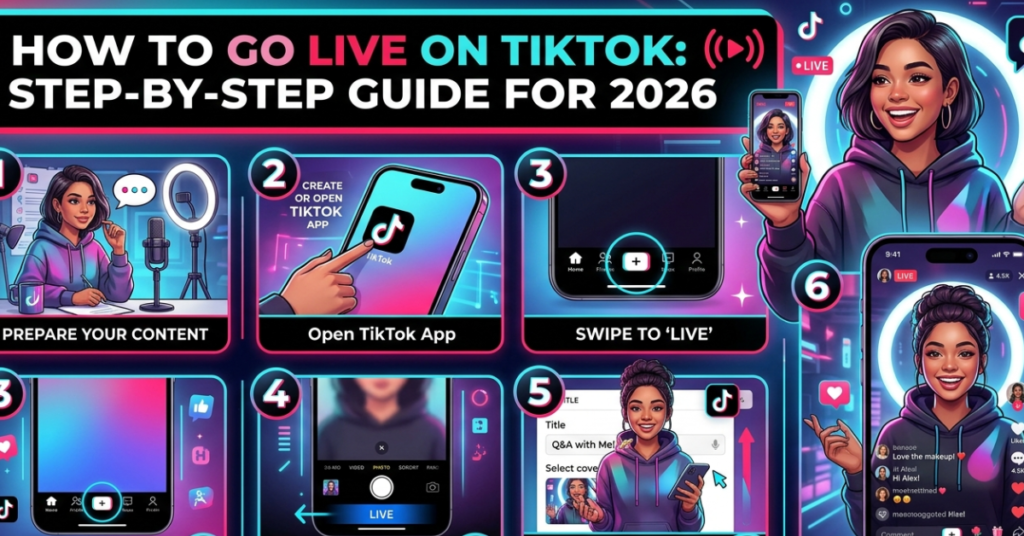
Here’s the easiest way to start your first TikTok live stream:
- Open the TikTok app
- Tap the “+” (Create) button
- Swipe to the LIVE option at the bottom
- Add a title for your live stream (keep it catchy)
- Choose a cover image if available
- Tap Go LIVE
That’s it! You’re officially broadcasting.
Tips Before You Go Live
- Use good lighting
- Check your sound quality
- Write a short live title
- Engage viewers immediately
- Keep your phone steady
How to Go Live on TikTok on PC
Many creators prefer streaming from desktop for better quality. Here’s how to go live on TikTok on PC:
Method 1: TikTok LIVE Studio (Official)
- Download TikTok LIVE Studio from TikTok’s official website
- Log in to your TikTok account
- Set up camera and microphone
- Choose stream settings
- Click Go LIVE
Method 2: Using Streaming Software (OBS)
Advanced users can stream using OBS:
- Open OBS Studio
- Add camera and audio sources
- Use TikTok stream key (if enabled)
- Start streaming
PC streaming is great for:
- Gaming streams
- Tutorials
- Screen sharing
- Professional setups
How to Go Live on TikTok Without 1000 Followers
This is one of the most searched questions. Officially, TikTok requires 1,000 followers, but here are a few workarounds:
Option 1: Request LIVE Access
Some users report success with this:
- Go to Settings & Privacy
- Tap Report a Problem
- Select LIVE
- Choose I can’t start LIVE
- Submit request politely
TikTok may grant access (not guaranteed).
Option 2: Join Someone Else’s Live
You can still appear live by:
- Joining another creator’s live
- Requesting to co-host
- Being invited as a guest
This is a great way to build exposure early.
Option 3: Grow to 1,000 Quickly
Fast growth strategies:
- Post consistently (2–3 times daily)
- Use trending sounds
- Engage in comments
- Go viral with niche content
- Collaborate with creators
Best Practices for a Successful TikTok Live
Once you learn how to go live on TikTok, focus on engagement:
- Start with a strong intro
- Ask viewers questions
- Pin important comments
- Thank new followers
- Stay live for at least 20 minutes
- Promote your live in advance
Consistency is key.
Common TikTok LIVE Features You Should Know
TikTok live offers several useful tools:
- LIVE chat interaction
- Gifts and coins
- Moderator controls
- Filters and effects
- Multi-guest live
- Screen sharing (PC only)
Using these features keeps your stream interactive.
FAQs About How to Go Live on
Can I go live on without 1000 followers?
Officially no, but you can request access or join someone else’s live as a guest.
Why can’t I go live on?
You may not meet requirements:
- Under 16 years old
- Less than 1,000 followers
- Account restrictions
How long should a live be?
Aim for 20–60 minutes for better reach and engagement.
Can I go live on from a laptop?
Yes, using LIVE Studio or streaming software like OBS.
Do TikTok lives help gain followers?
Yes! Live streams boost visibility and allow real-time interaction.
Is TikTok LIVE available in all countries?
Most regions support LIVE, but availability may vary.
Conclusion
Learning how to go live on TikTok opens the door to real-time engagement, stronger connections, and even monetization. Whether you’re streaming from your phone or figuring out how to go live on TikTok on PC, the process is simple once you meet the requirements. And if you’re still wondering how to go live on TikTok without 1000 followers, try the alternative methods while growing your audience.